
Skip to content
CTAS Life

An everyday app for you and your family

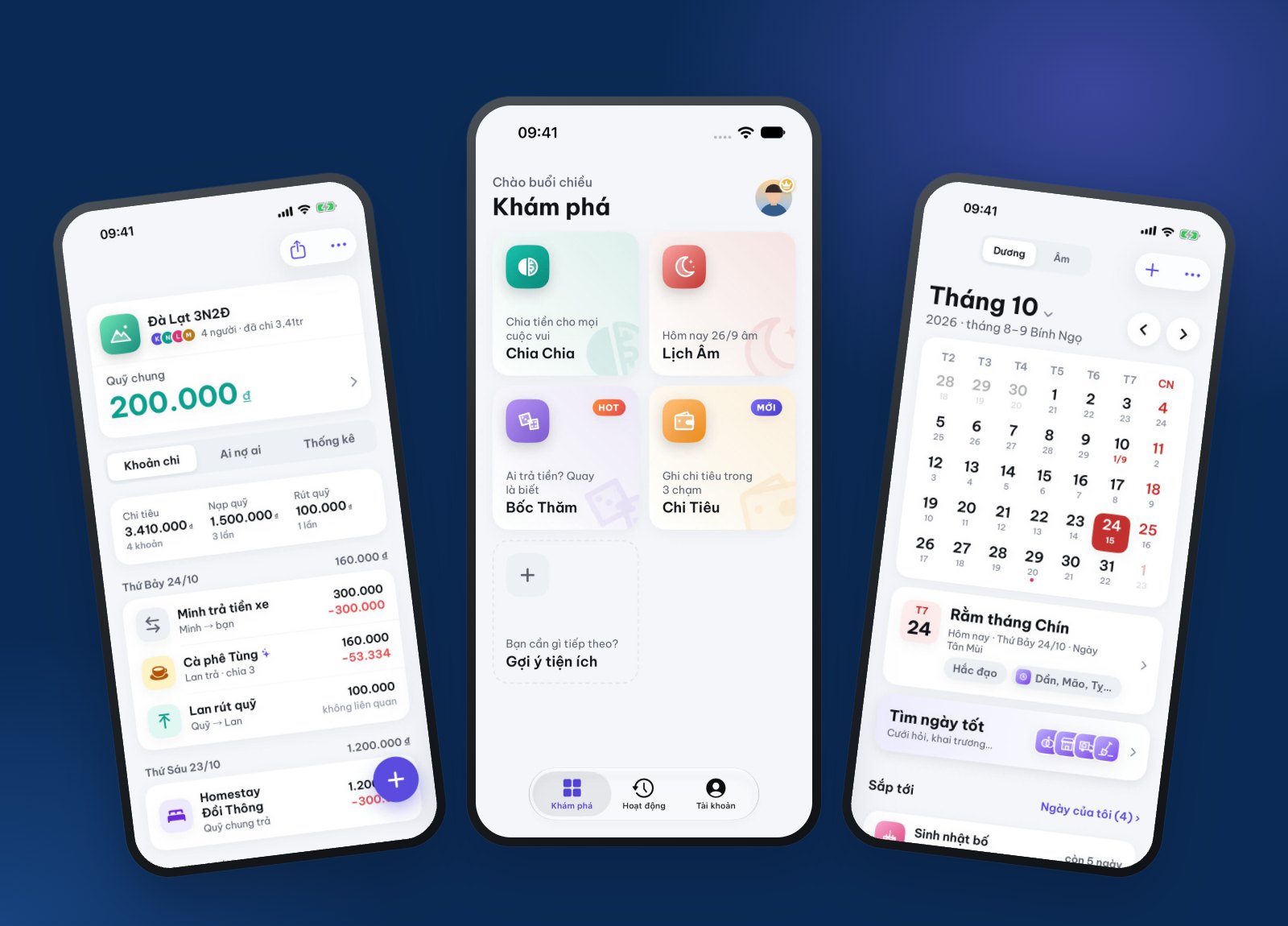
Split bills, track spending, check the lunar calendar — all in one app

CTAS Life gathers the small jobs that come up every day: splitting costs on a trip with friends, logging each expense with a single message, remembering full moons and your parents’ lunar birthdays, and drawing lots when nobody can decide. Open it and start — no sign-up needed.

  • Free on iPhone and Android
  • Start without signing up
  • Vietnamese and English

Get CTAS Life free for iPhone and Android

Split bills, track spending, check the lunar calendar — all in one app
TriTri, Spending, Lunar Calendar, Lucky Draw
4 tools
download and start with a guest account
Free
of free AI every month, for every account
30 credits
to draw lots: wheel, dice, coin…
8 ways

Four tools

Each tool takes care of one small job

Pick a tool on the Discover screen. They share one account, and your data follows you to a new phone.

TriTri · group costs

Have fun together, split the bill without the awkward talk

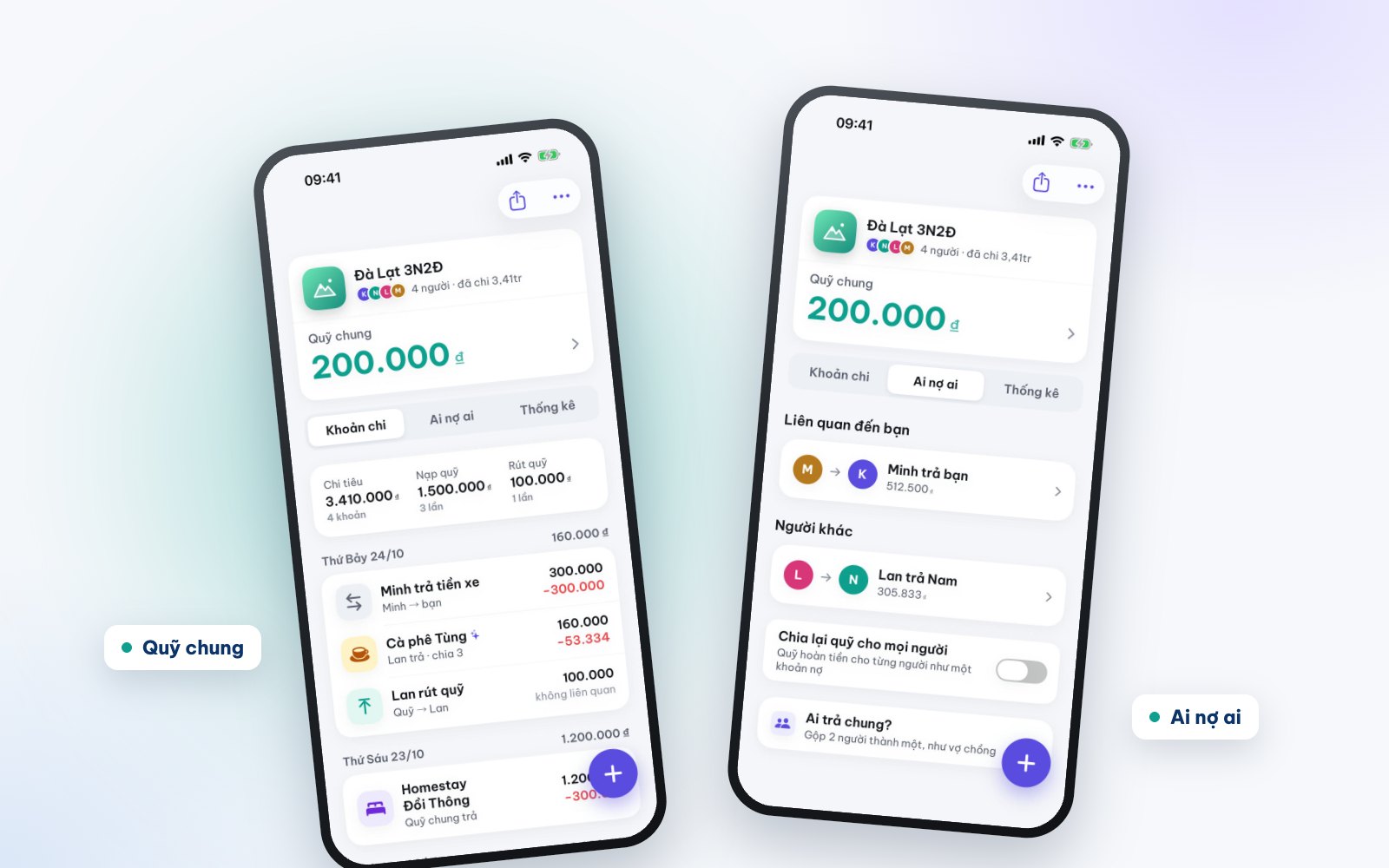
Create a group for a trip, a shared flat or a party and invite friends with a 6-character code or a link. Note who paid for what; TriTri works out each person’s share and who owes whom, then suggests the fewest transfers to settle up.

  • Split equally, by percentage, by amount or item by item
  • A shared fund: who chipped in, what was spent, what is left
  • Group roles: owner, secretary, member, viewer
  • Several currencies for trips abroad
Have fun together, split the bill without the awkward talk

TriTri · bill scans

Snap the bill, AI splits out every item

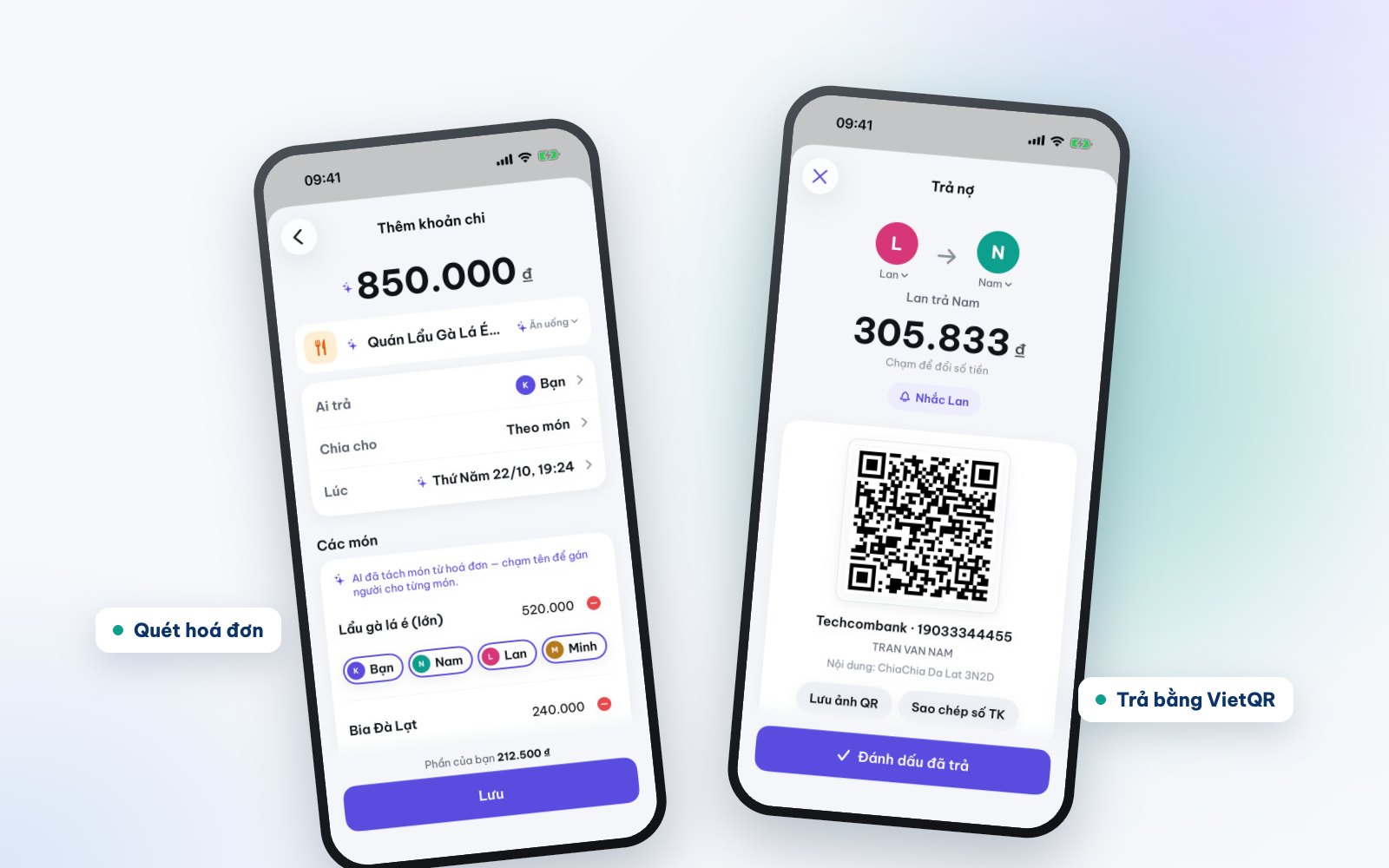
Photograph a restaurant bill and AI reads each item and price; you just tap who had what. Or hold the mic and say "Hotpot 850k, Nam paid, split equally" and the expense is filled in. When it is time to settle, TriTri makes a VietQR code to pay with your own banking app.

  • Bill scan: 3 credits a time
  • Say or type one sentence: 1 credit a time
  • VietQR codes with the amount and message filled in
  • A gentle reminder for whoever still owes, then mark it paid
Snap the bill, AI splits out every item

Spending · the Xu assistant

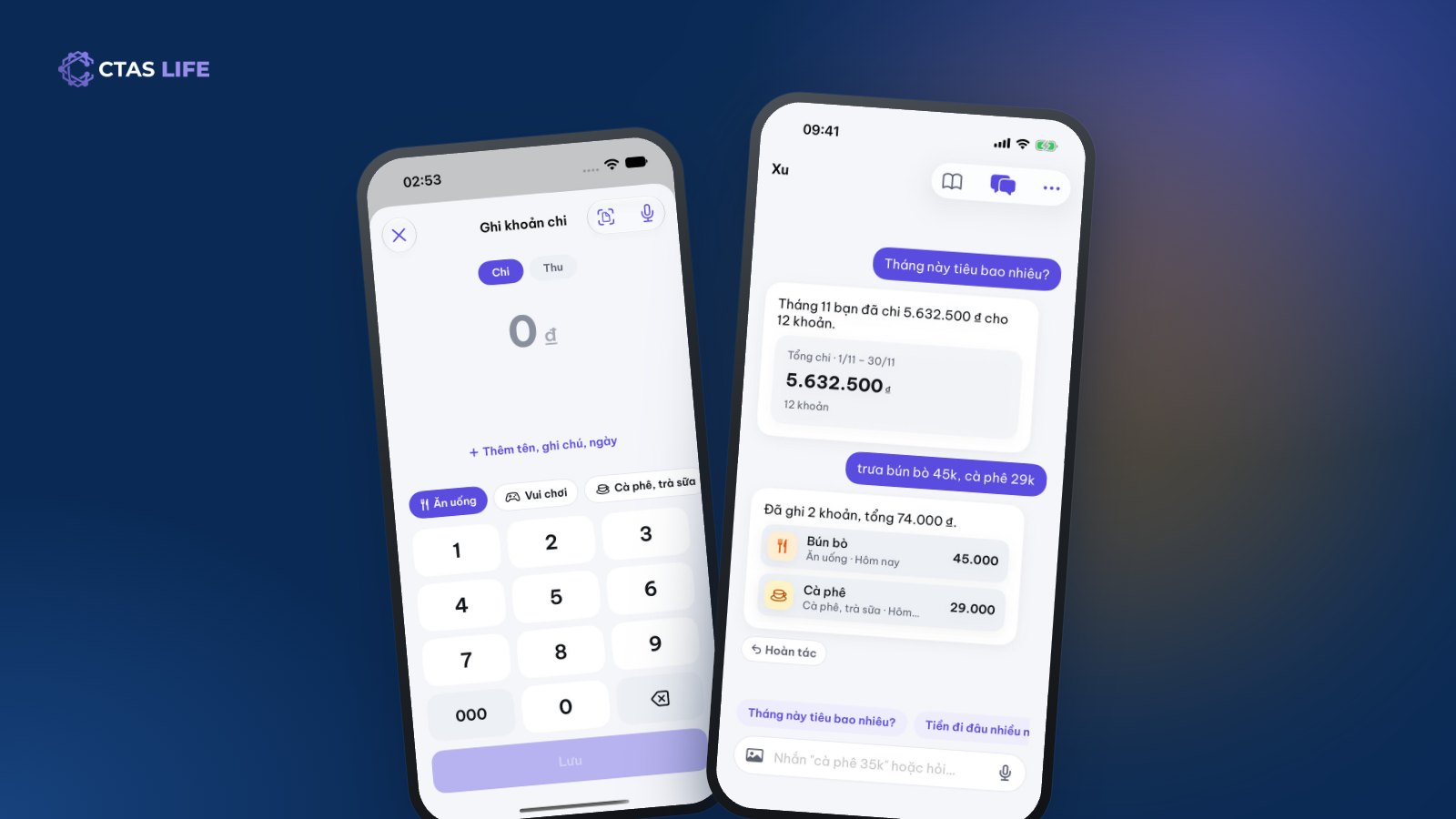
Type "noodles 45k" and Xu logs it

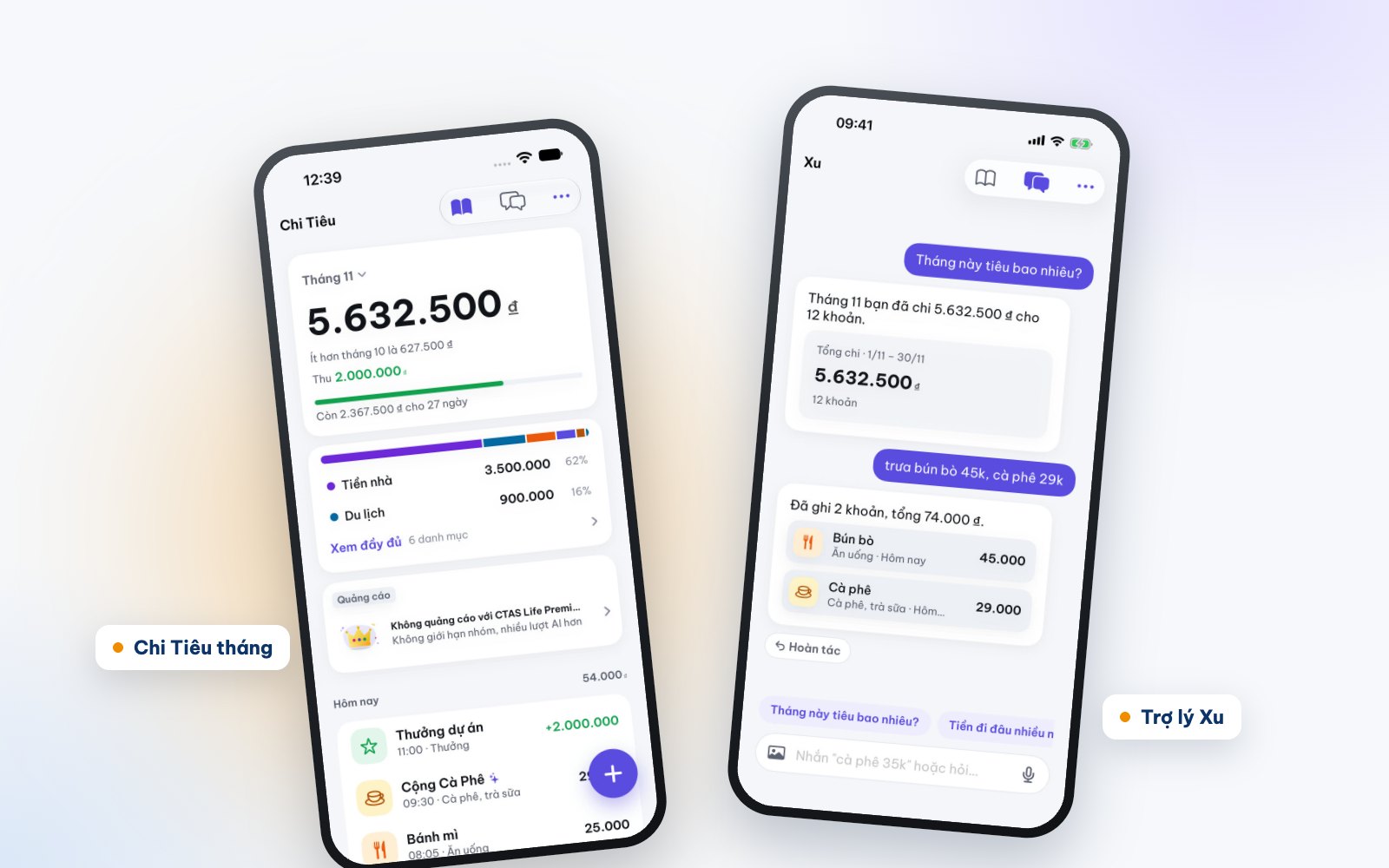
Spending is your personal expense book: log an expense in a few taps, see totals by month or any date range, split by category and set a monthly limit. Chat with the Xu assistant to log quickly or ask "how much did I spend this month?". Your share of TriTri groups is added for you, never twice.

  • Manual entries, stats and file export: free and unlimited
  • Xu has 4 voices: Polite, Cute, Best friend, Strict
  • Numbers are computed by our server to the dong; AI only words them
  • Recurring costs like rent and internet log themselves
Type "noodles 45k" and Xu logs it

Lunar Calendar · family dates

Remember full moons and your parents’ lunar birthdays

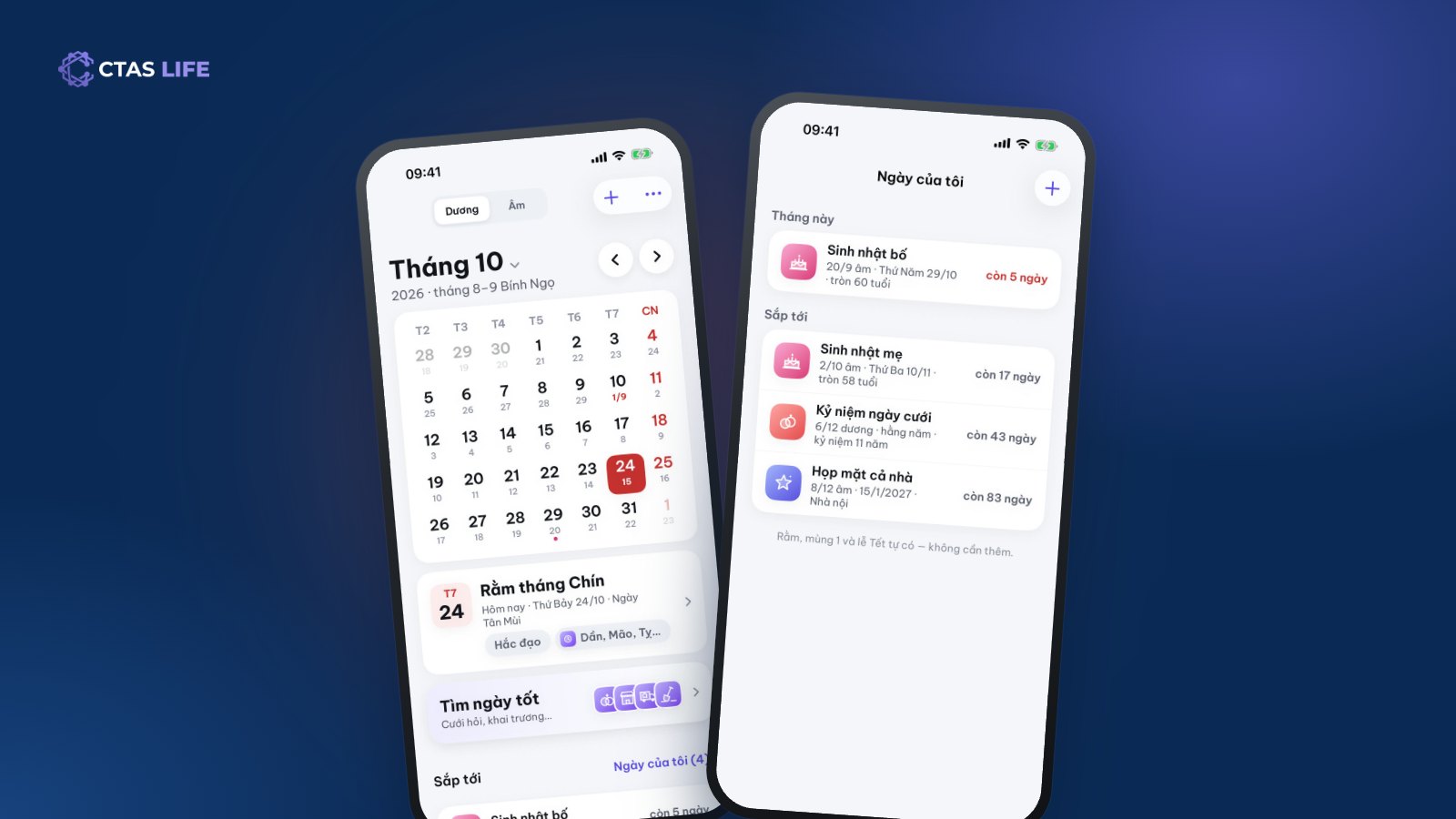
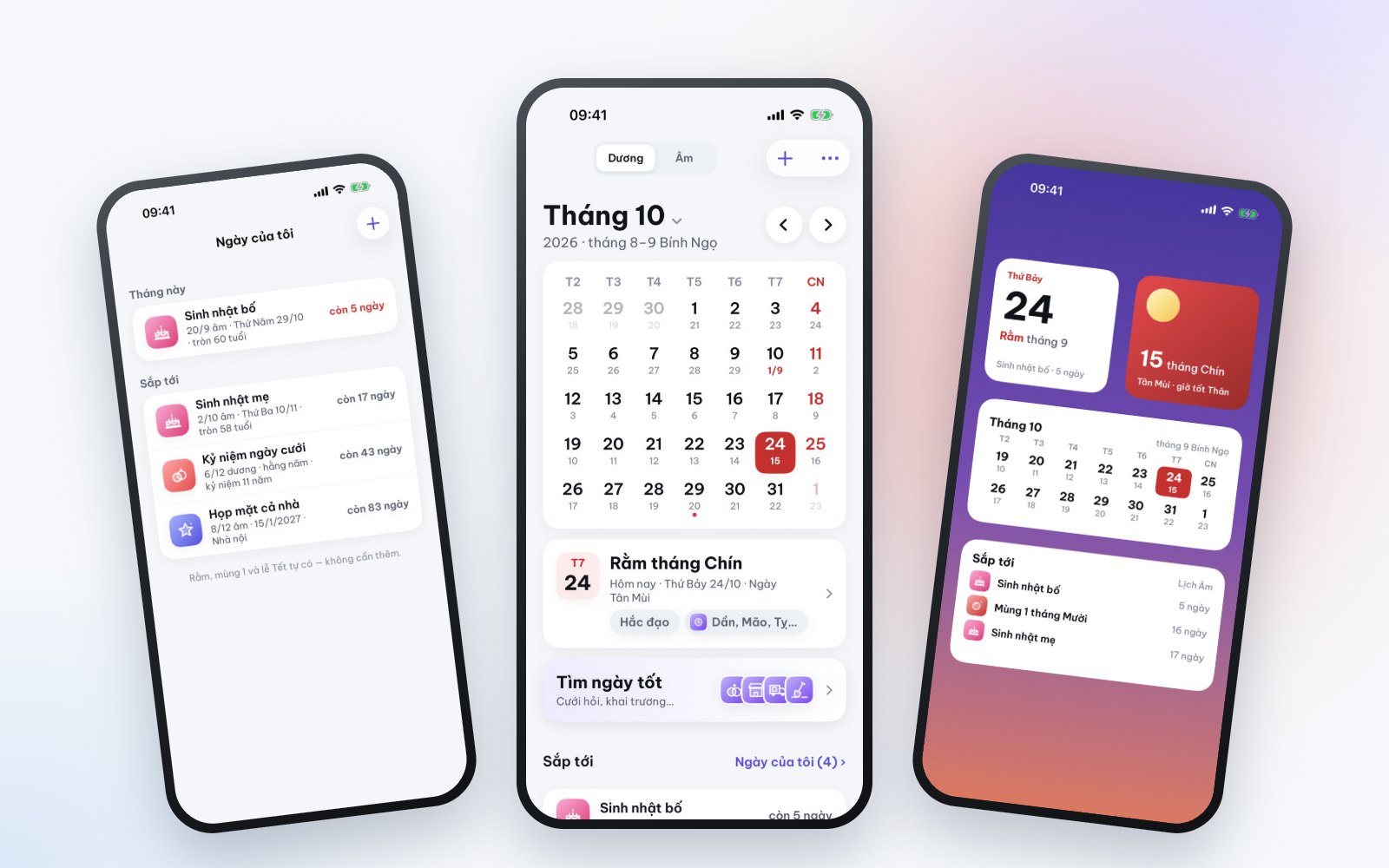
A month view with lunar and solar dates, auspicious days and hours, and the holidays. Save lunar birthdays, wedding days and family anniversaries once; CTAS Life works out the solar date every year and reminds you ahead with a notification or an alarm.

  • A family date book the whole family shares with an invite code
  • Find good days for weddings, openings and moving house
  • Widgets for today, the moon phase and upcoming dates
  • Add dates to your phone’s Calendar app in a separate "CTAS Life" calendar
Remember full moons and your parents’ lunar birthdays

Lucky Draw · decide for fun

Who pays, who washes up? Spin and see

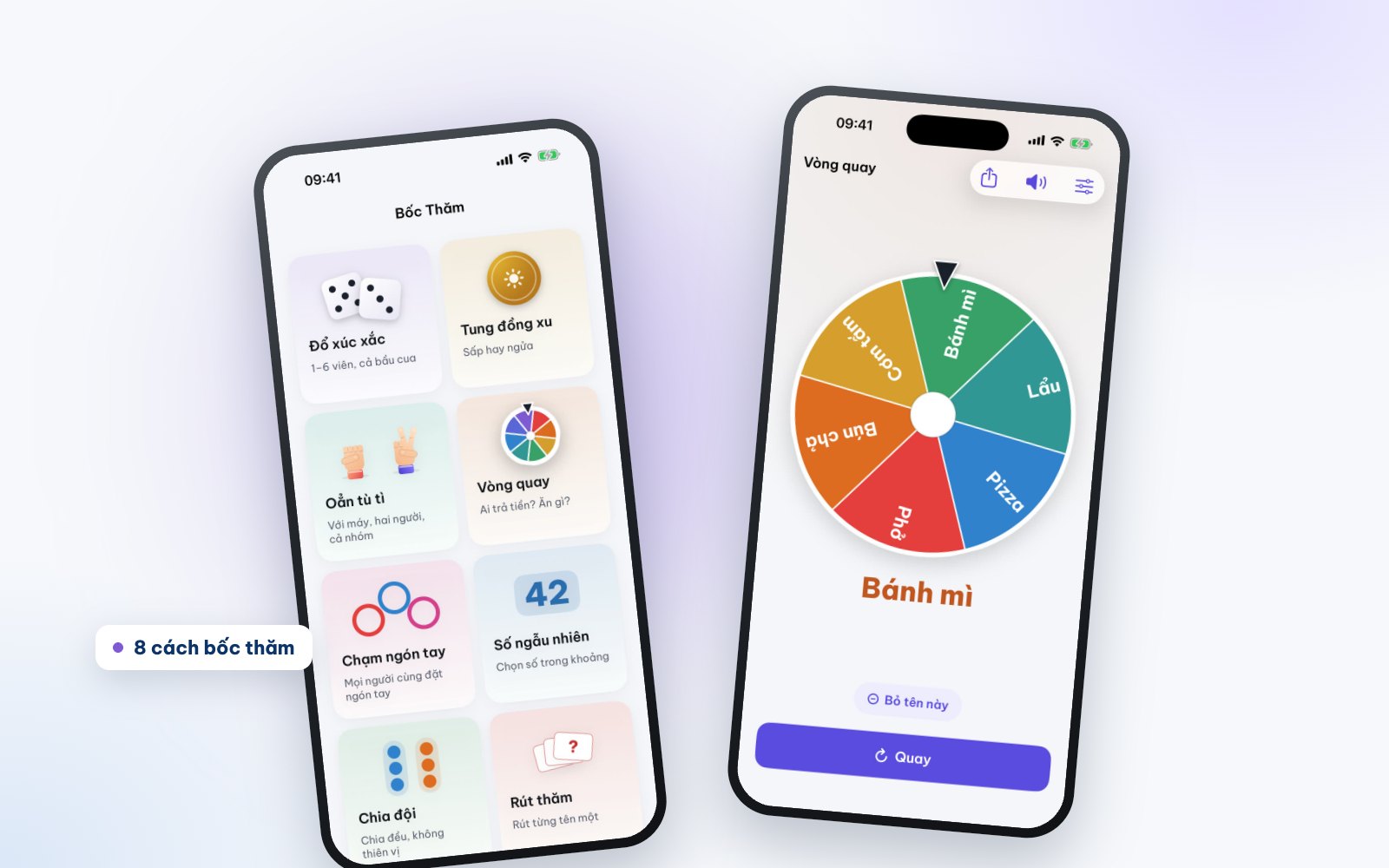
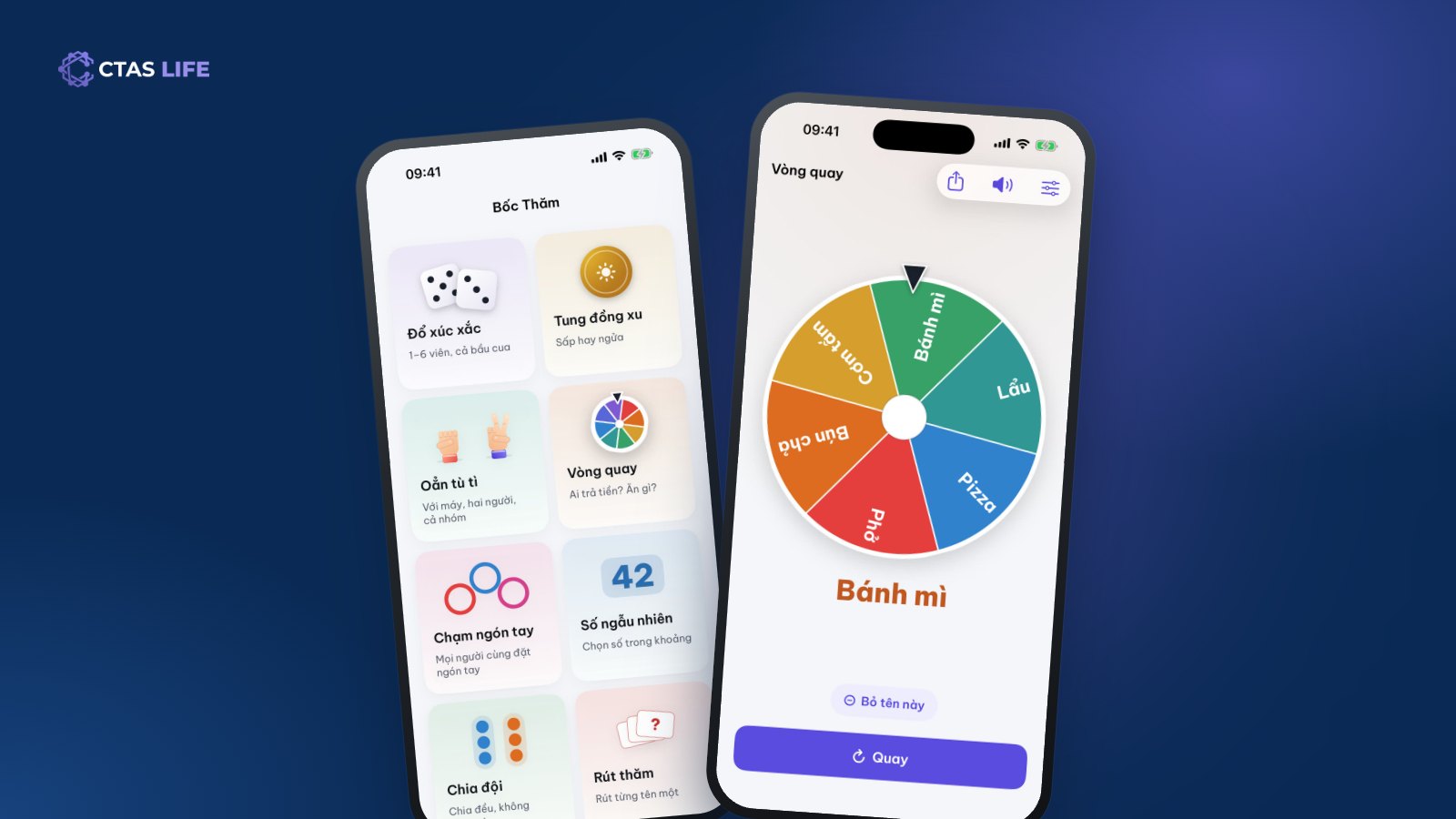
Eight ways to pick at random when the group needs an answer: a wheel, dice (with the Vietnamese gourd-crab-fish faces), a coin flip, finger pick, a random number, team split, drawing lots and rock-paper-scissors. The result is drawn securely first and only then animated, so nobody can nudge it.

  • The wheel can take names straight from a TriTri group
  • Even, unbiased team splits
  • 3D dice and coins with sound, muted from the speaker button
  • Just for fun: no betting, no real money
Who pays, who washes up? Spin and see

Premium & AI credits

No ads and more AI when you want it

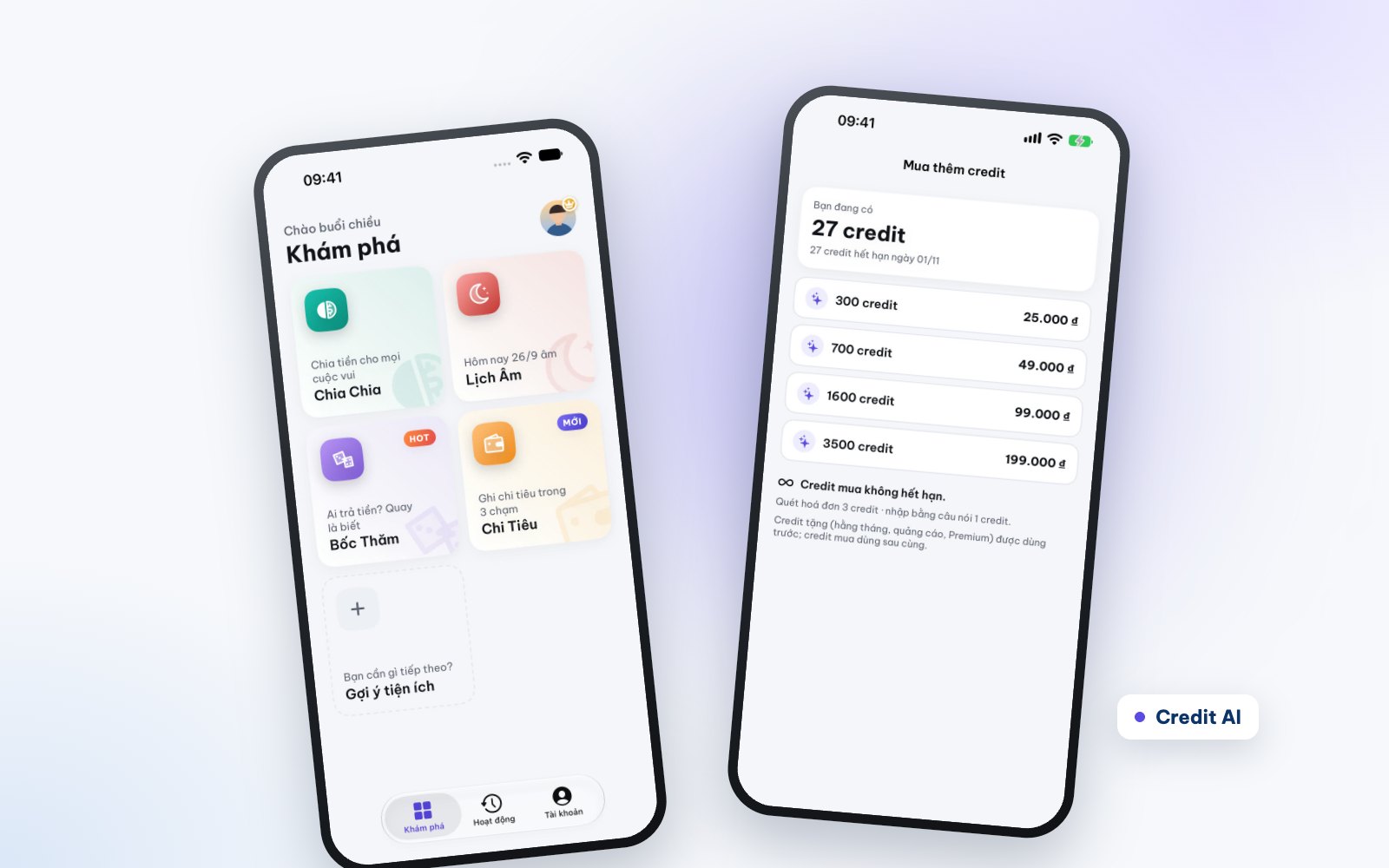
The free version shows small ads and includes 30 AI credits a month (new accounts get 20 welcome credits for their first 7 days). Premium removes ads, adds 600 credits a month and lifts every limit. Need more AI without a subscription? Buy a credit pack that never expires.

  • Premium: 29,000 VND a week, 59,000 a month or 399,000 a year
  • The yearly plan has a 7-day free trial for new subscribers
  • Credit packs: from 300 credits for 25,000 VND to 3,500 for 199,000
  • Watch a rewarded ad: +3 credits, up to 3 times a day
No ads and more AI when you want it

Who it is for

For the small groups of everyday life

  • Friends on a trip

    A three-day trip, a weekend hotpot, a birthday party.

    • Log costs right at the table
    • A shared fund for the whole trip
    • Know who pays whom the moment it ends
  • Flatmates and couples

    Rent, utilities and groceries shared every month.

    • Treat a couple as one when splitting
    • Recurring costs log themselves
    • Personal spending stays in your own book
  • Families

    Parents’ lunar birthdays, wedding days, family get-togethers.

    • One shared date book for the family
    • Reminders days ahead, on time
    • Chip in for the party through TriTri

Free, Premium and AI credits

Plenty for free — upgrade when you want more

Logging spending, splitting costs, the calendar and lucky draws are all free. AI (bill scans, typed or spoken entries, the Xu assistant) runs on credits.

  • Free for good

    Create up to 3 groups, plus spending, the lunar calendar and 30 lucky draws a day at no cost.

  • 30 AI credits a month

    About 10 bill scans or 30 messages to Xu. A failed AI request costs nothing.

  • Premium

    No ads, 600 credits a month (150 on the weekly plan), unlimited groups, draws and good-day searches.

  • Credits that never expire

    300, 700, 1,600 or 3,500 credits, bought once through the App Store or Google Play.

  • No sign-up to start

    Start as a guest; when you want another phone, create a CTAS account and everything comes along.

  • Your data is yours

    We never sell your data. Delete your data or your account in the app at any time.

Get started

From download to your first split in a minute

  1. Get CTAS Life

    Free on the App Store and Google Play. Open it and you are on Discover — nothing to fill in.

  2. Pick a tool

    Create a TriTri group and share the invite code, log your first expense in Spending, or save your parents’ lunar birthdays in the Lunar Calendar.

  3. Keep your data on a new phone

    Create a CTAS account under Account to use more than one phone. Every group, expense and saved date comes with you.

Articles

Tips for CTAS Life

All news

FAQ

About CTAS Life

No answer here? Send the CTAS team your question — we usually reply within a business day.

Ask a question
Is CTAS Life free?

Yes. The download is free, and splitting (create up to 3 groups), spending, stats, the lunar calendar and lucky draws (30 a day) all work at no cost. The free version shows small ads and includes 30 AI credits a month. Premium is optional.

What are AI credits for?

Credits pay for what AI does: a bill scan is 3 credits, one spoken or typed entry 1 credit, each Xu reply 1 credit (2 in Detailed mode). A failed AI request costs nothing. Every account gets 30 free credits a month; Premium includes 600 a month; credits you buy never expire and are used last.

How much is Premium, and how do I cancel?

29,000 VND a week, 59,000 a month or 399,000 a year; the yearly plan has a 7-day free trial for new subscribers. Plans renew through the App Store or Google Play and can be cancelled any time: on iPhone in Settings › Apple ID › Subscriptions, on Android in Google Play › Payments & subscriptions.

Do I need an account?

No. You start as a guest. When you want to use another phone or keep your data when you switch, sign up or sign in with a CTAS account under Account — every group, expense and saved date comes with you.

Can friends join a group without the app?

Members need CTAS Life to add expenses and see who owes whom. You can still add their names to split costs first, then send the 6-character code or the life.ctas.vn link so they can claim their name once they install the app.

Does CTAS Life hold or move my money?

No. CTAS Life only records and calculates. A VietQR code is an image you pay with in your own banking app; CTAS Life never connects to a bank account or holds anyone’s money.

Which AI does Xu use? Is my data used for training?

CTAS Life’s AI features use Anthropic’s Claude models. Your questions are processed to answer you and are not used to train models. The numbers in an answer are computed by CTAS’s server from your own book; AI only puts them into words. The app asks for your consent the first time you open Xu.

Which time zone does the Lunar Calendar use?

The Lunar Calendar follows Vietnam time (UTC+7), the way the traditional Vietnamese lunisolar calendar is computed, so full moons, first days and leap months match a wall calendar. A yearly lunar date that falls on day 30 of a short month moves to day 29.

How do I delete my data or account?

In the app: Account › tap your name card › Delete account; as a guest: Account › Delete guest data. Details are in the CTAS Life privacy policy.

Get CTAS Life for free

Four tools in one app, ready without signing up. On iPhone, iPad and Android phones.

We use cookies

Essential cookies keep this site working. With your consent we also use cookies to remember your choices, measure traffic and share data with advertising partners. You can change your choice at any time. Cookie policy

Choose which cookies we may use. Each category lists the third parties your data would be shared with.

Required for the site to work: remembering your language and your cookie choice. Cannot be switched off.

Always active

Shared with

No third-party services.

Remember settings to make your next visit smoother.

Shared with

No third-party services.

Anonymous measurement of visits and how the site is used, to improve it.

Shared with

Allows cookie data to be shared with advertising partners (such as Meta) to show relevant ads.

Allowing this shares data about your visit with advertising partners.

Shared with

  • Meta Pixel · Provider: Meta PlatformsMeasures ad performance on Facebook/Instagram.Privacy policy

Cookie policy